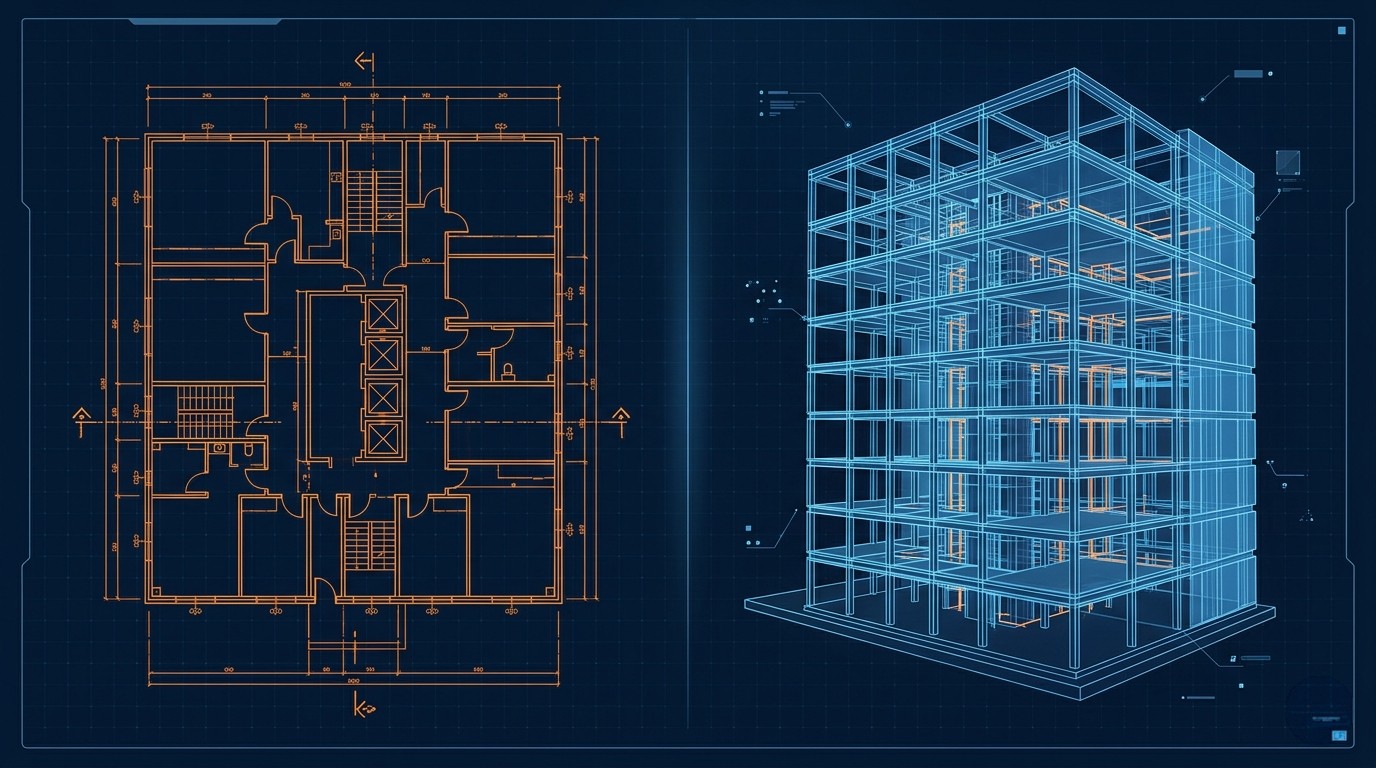
AutoCAD and ArchiCAD are two of the most widely used CAD platforms in the architecture, engineering, and construction industries. Both are capable, mature products with large user bases. But they take fundamentally different approaches to design, and choosing between them depends on your specific workflow, team structure, and project types.
The Fundamental Difference
The most important distinction between AutoCAD and ArchiCAD isn't about features, it's about philosophy.
AutoCAD is a general-purpose drafting tool. It works with lines, arcs, and geometric primitives. You draw in 2D (or 3D, with additional effort), and the intelligence of the drawing comes from how you organise and annotate it. AutoCAD doesn't inherently know that a rectangle is a wall or a circle is a column, it just knows geometry.
ArchiCAD is a Building Information Modelling (BIM) tool. You don't draw lines, you place building elements. When you draw a wall in ArchiCAD, the software knows it's a wall with specific properties: material, thickness, height, fire rating, and more. Plans, sections, and elevations are all generated automatically from the 3D model.
This distinction has profound implications for how you work.
AutoCAD: Strengths and Best Uses
AutoCAD excels in scenarios where flexibility and cross-discipline compatibility are paramount:
Versatility
AutoCAD is not limited to architecture. It's used in mechanical engineering, electrical design, civil engineering, surveying, and manufacturing. If your work spans multiple disciplines, AutoCAD's general-purpose nature is an advantage.
Simplicity
For straightforward 2D drafting tasks, producing detail drawings, site plans, or simple layouts, AutoCAD's line-based approach is fast and intuitive. There's no overhead of building a 3D model when all you need is a 2D drawing.
Industry standard
AutoCAD's DWG format is the de facto standard for exchanging 2D drawing data. Virtually every CAD program can read and write DWG files, making AutoCAD the safest choice for compatibility.
Customisation
AutoCAD has a deep customisation ecosystem. AutoLISP, VBA, .NET, and the ObjectARX API allow you to automate repetitive tasks, create custom tools, and integrate with other systems.
ArchiCAD: Strengths and Best Uses
ArchiCAD shines when the project demands an integrated, model-centric approach:
True BIM workflow
ArchiCAD was one of the first BIM platforms and remains one of the most intuitive. You build a virtual model of your building, and all documentation, plans, sections, elevations, schedules, is generated from that single model. Change a wall in the model, and every drawing updates automatically.
3D from day one
Unlike AutoCAD, where 3D modelling is a separate activity, ArchiCAD works in 3D inherently. Every wall, slab, and roof you place exists in three dimensions, which means you can produce 3D views, walkthroughs, and visualisations at any stage of the design process.
Coordination
ArchiCAD's Teamwork feature allows multiple architects to work on the same model simultaneously, with changes synchronised in real time. This is particularly valuable for larger practices where multiple team members contribute to a single project.
Quantity takeoffs
Because ArchiCAD elements carry property data (materials, areas, volumes), you can extract quantity schedules directly from the model, streamlining cost estimation and procurement.
Head-to-Head Comparison
- Learning curve, AutoCAD is generally easier to learn for basic 2D drafting. ArchiCAD has a steeper initial curve but pays dividends once you're working in BIM.
- 2D drafting speed, For pure 2D work, AutoCAD is typically faster. ArchiCAD's 2D tools exist but are secondary to its BIM workflow.
- 3D capability, ArchiCAD is significantly stronger for architectural 3D modelling. AutoCAD's 3D tools are functional but not designed for building modelling.
- Documentation, ArchiCAD generates documentation from the model automatically. AutoCAD requires manual drawing production.
- Collaboration, ArchiCAD's Teamwork is purpose-built for multi-user architectural projects. AutoCAD relies on xrefs and file sharing for collaboration.
- Cost, Both platforms use subscription pricing. ArchiCAD is typically more expensive per seat, but the productivity gains from BIM can offset this for architectural practices.
- File exchange, AutoCAD's DWG is more universally compatible. ArchiCAD can import/export DWG but some BIM data may be lost in translation.
Which Should You Choose?
The right choice depends on your specific situation:
Choose AutoCAD if:
- Your work is primarily 2D drafting across multiple disciplines
- You need maximum compatibility with external partners and contractors
- Your projects are relatively simple or you're producing detail-level drawings
- Your team is already trained and productive in AutoCAD
Choose ArchiCAD if:
- You're an architectural practice focused on building design
- BIM is required by your clients or local regulations
- You want integrated 3D modelling and automatic documentation
- You work in teams and need real-time collaboration on models
The Conversion Angle
Whichever platform you use, legacy paper drawings will likely need to be converted at some point. A professional paper to CAD conversion service can deliver files in whatever format your workflow requires, DWG for AutoCAD users, PLN for ArchiCAD users, or both for maximum flexibility.
If you're transitioning from AutoCAD to ArchiCAD (or vice versa), having your existing drawings converted to the target format is a practical first step that allows your team to work with familiar project data in the new environment.
Need Files in AutoCAD or ArchiCAD Format?
We deliver in DWG, DXF, PLN, and more. Whatever your platform, we've got you covered.
Get a Free Quote